
Accounting & tax · 2026
Two people’s worth of work, handed back
A Bay Area CPA firm files around a thousand tax returns a year. Every return arrived as a pile of PDFs someone had to open, sort, rename, read, and retype into a spreadsheet. I built a tool that does the reading and the typing. The preparer still makes every decision.
- Client
- A Bay Area CPA firm
- Industry
- Accounting & tax
- Year
- 2026
- Role
- Solo. Designed, built, delivered.
The equivalent of two full-time people spent the year on data entry.
Every client's paperwork took one to four hours to process, plus ten minutes of senior review. That was two people's working year spent opening PDFs and retyping what was printed on them.
And it grew with the business. More clients meant more hours, one for one. No way to take on more returns without adding more people doing the same keystrokes.
Why not an off-the-shelf tool?
Plenty of them will read a form and drop a number into a spreadsheet. The problem is what happens when one gets a number wrong and says nothing. The preparer signs the return, so the preparer carries that risk. A tool that is right most of the time and quiet about the rest is worse than no tool at all.
Seventeen minutes, down from nearly three hours.
2.7 hrs → 17 min
to process one client's documents
~2,400 hrs
returned to the team every year
28+
document types read automatically
±20%
year-on-year swings flagged automatically
| Step | Before | After |
|---|---|---|
| Senior accountant checks the documents are all there | ~10 min | ~2 min spot check |
| Reading the forms and typing values into the spreadsheet | 1 to 4 hrs | ~15 min. Drop, click, check |
| Total per client | ~2.7 hrs | ~17 min |
Across a year of a thousand returns: about 2,400 hours returned, roughly 1.5 of those two full-time roles back on work that needs judgment.
The point is not the hours on their own. It is that the same team can now take on more clients without the firm hiring anyone, and that gets better every year the practice grows.
Handling times were estimated with the firm during the pilot. The annual figure assumes around a thousand returns a year.
Jaspar was an outstanding partner in the development of our AI Tax Portal. He was responsive, straightforward, and collaborative throughout the entire process. What stood out most was his ability to understand the unique challenges of a small business and tailor solutions that were both practical and scalable.
For years, we wanted to automate many of our manual tax and workflow processes but struggled to find the right approach. Jaspar helped us bridge that gap. The portal has freed up meaningful capacity across our team, allowing staff to focus on more strategic work and client service rather than repetitive administrative tasks. His technical expertise, combined with his willingness to work alongside our team, made the project a success.
Drop the documents in. Click process. Get a spreadsheet.
Everything goes in at once
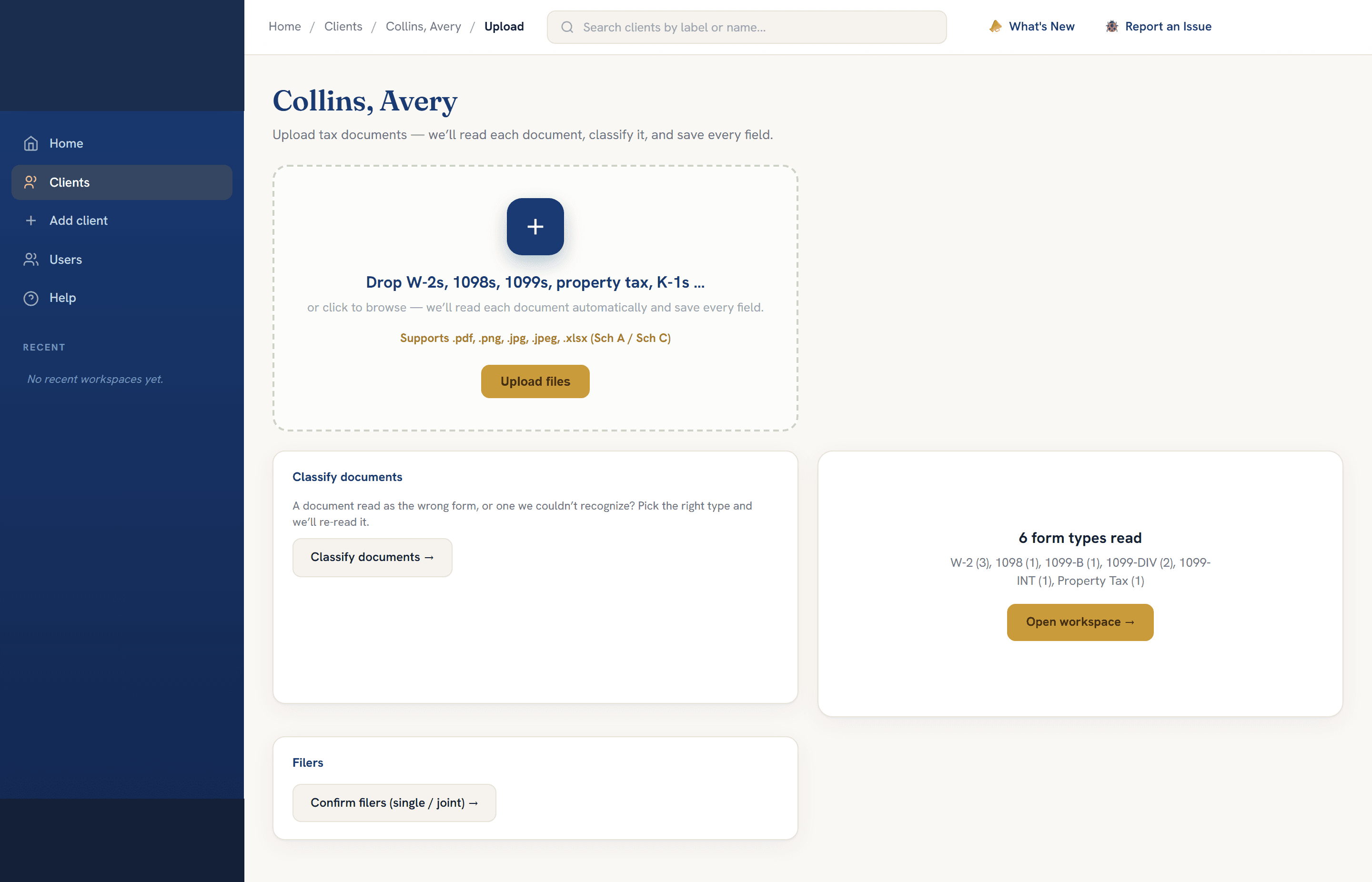
W-2s, 1098s, the 1099 family, health coverage forms, property tax bills, brokerage statements, Schedule C and Schedule E. As PDFs, scans, or phone photos. Nobody sorts or renames them first.
The tool works out what each document is by reading it, not by trusting the filename, then renames it to the firm's own convention. A fifty-page brokerage statement gets split into its interest, dividend and capital gains parts so each figure lands on the right line.
It reads every field, and says so when it is unsure
Every number gets a confidence score. Flags come from ten different places: a low-confidence read, a swing against last year, arithmetic that does not add up, and more. They land in one review list, each with a link straight to the page it came from.
Numbers are colour coded by where they came from. Blue when you corrected the tool, purple when you typed it yourself. Months later, anyone can see which figures a person touched.

One click builds the summary, and your edits survive
Income, deductions, rental expenses, payments and withholding, and the final figure for the 1040. Rules that change year to year, like the SALT cap, are built in per tax year and the preparer can override them.
The preparer finishes in Excel, the way they always have. When a late form arrives, the tool reads the saved workbook back in, works out which cells a human changed, and layers the new form on top without touching them. Human edits win, every time.
The risky form is not the one it cannot read. It is the one it reads twice.
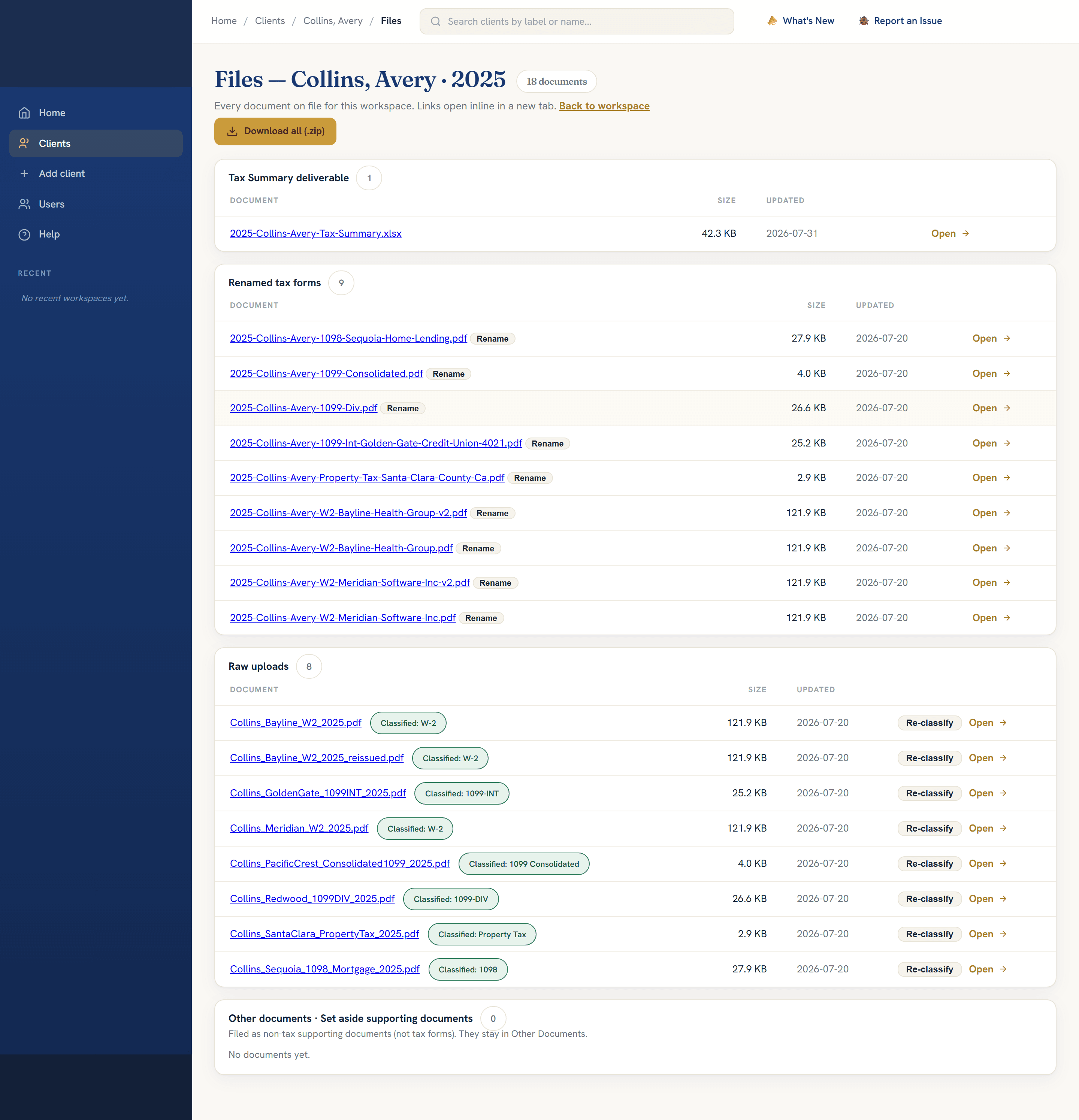
A client sends their W-2. Payroll issues a corrected one. The client forwards that too. Same employer, same year. A simple tool adds both, and the return shows double the wages.
| Amount | First copy | Second copy |
|---|---|---|
| Wages | $38,912.44 | $38,921.44 |
| Federal tax withheld | $5,102.30 | $5,120.30 |
| Medicare tax withheld | $564.23 | $564.36 |
Look closely. The digits are swapped.
That is the kind of difference a tired person misses in March, and exactly the kind the IRS finds in November. The tool never merges them on its own. It holds the duplicate back, shows the comparison, and the preparer decides in about four seconds.
On one real return, a duplicated income document would have overstated a client's income by a seven-figure sum. The tool held it back and asked.
Built for tax documents, and kept inside the firm.
Purpose-built document AI
Microsoft's Azure Document Intelligence, made specifically for reading structured tax forms, with a vision model behind it for documents that do not parse cleanly. Every reading is scored, and low scores go to a person.
It stays with the firm
Client documents and Social Security numbers live inside the firm's own Microsoft cloud tenant, on their own subscription, behind their own domain. Secrets live in a managed vault, never in the code.
The AI runs there too
Client information never reaches a public model. Documents are handed back or destroyed when the engagement closes.
Any time someone retypes a document into a system.
Insurance claims. Loan files. Supplier invoices. HR and benefits forms. Purchase orders.
The document type does not really matter. What matters is the pattern: sort it, read it, flag anything uncertain for a person, and keep a link back to the original the whole way through. If your team is doing that by hand today, the same approach applies.
Ready when you are
Ready to see what
you can automate?
Free discovery call. No pitch deck. Just a conversation about your workflows.